Free live quiz for team building and meetings
Put a quiz on the screen and everyone plays from their phone. Timed questions, points for speed and a live leaderboard turn a flat meeting into a game, and nobody has to create an account to join.
Start a quiz
Free. No account needed. Players join with a code or QR code on their own phones.
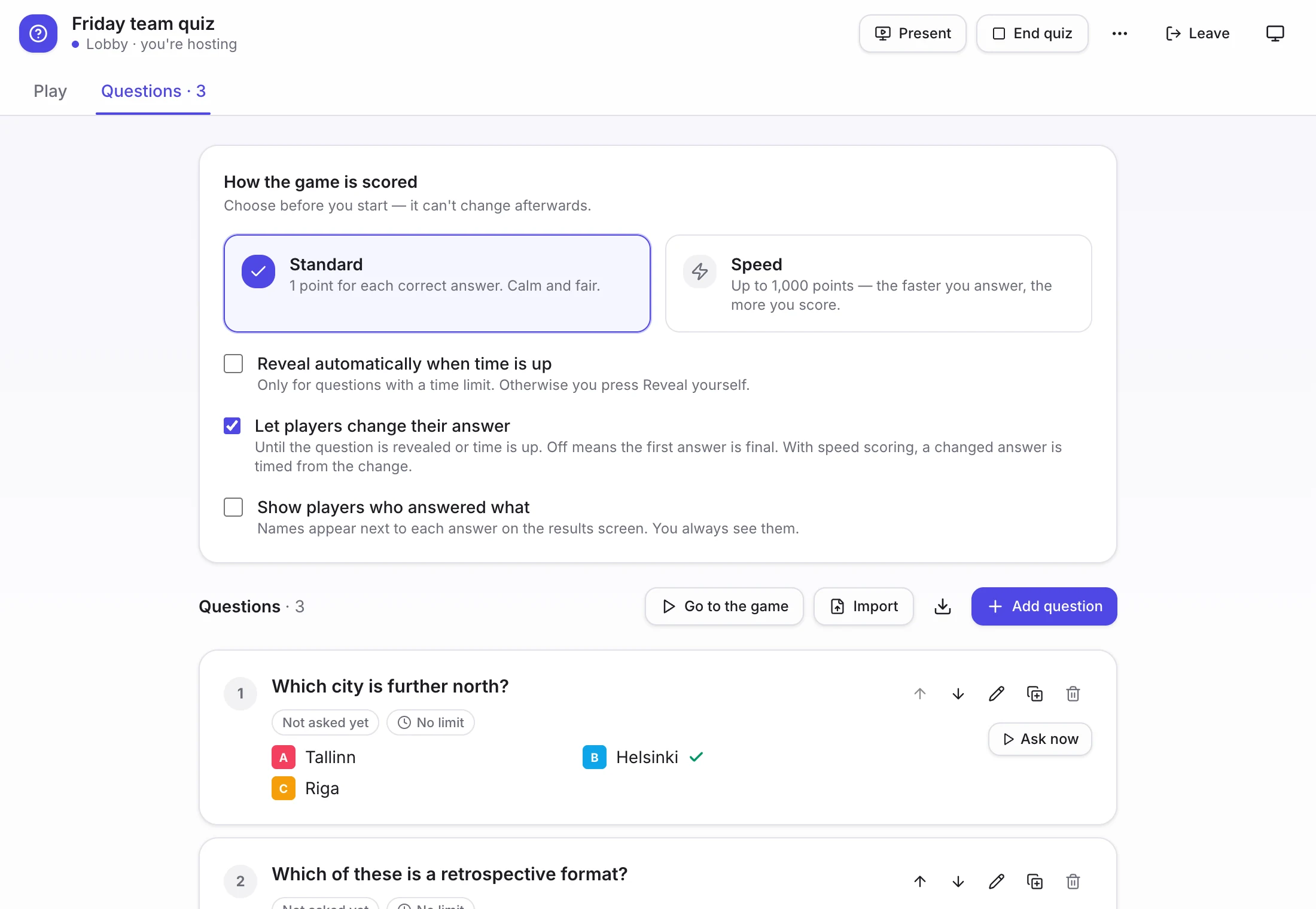
The host's view of a quiz with three questions written. Players join from their phones with a code.
How a quiz runs
- 1
Write the questions
Choice, true or false, or type-in answers. Add them one by one, or import a list from a CSV.
- 2
Put it on the screen
The projector view shows the question in big type, with the join code and QR code along the bottom for latecomers.
- 3
Play
Each question is timed, and faster correct answers earn more points. Streaks add up, and the leaderboard updates after every question.
- 4
Replay or reuse
Each game's standings are saved, so you can run the same quiz again next week and compare.
Question ideas that work for teams
A mix of work, general knowledge and a few guesses keeps it inclusive: newcomers shouldn't need inside knowledge to score.
True or false: we shipped more releases this quarter than last quarter.
About the work. Check the real number first.
How many retrospectives did the team run this year?
About the work. A number with a sensible range.
Which of these was our team's first project?
About the team. Good for long-standing groups, with options that include a couple of jokes.
Which city is further north: Tallinn or Helsinki?
General knowledge. The answer is Helsinki. Swap in places your team knows.
True or false: octopuses have three hearts.
General knowledge. True. Short, sharable, easy to talk about after.
What is the most common password in the world's data breaches?
Type-in answer. Fun, and a quiet reminder about security.
Running a quiz that stays fun
- Keep it to ten to fifteen questions. Past twenty minutes, energy drops.
- Mix easy and hard. If the same two people win every question, everyone else stops trying.
- Avoid questions that need inside knowledge, which excludes new joiners.
- Pause after each answer for a story or a laugh. The conversation is the point, not the score.
- Don't attach anything important to the result. Bragging rights are enough.
Where a quiz fits
- The opening ten minutes of a remote offsite or all-hands.
- A reward at the end of a hard sprint, in place of one more meeting.
- A warm-up before a retro, so people are talking before the serious part.
- Onboarding, to introduce new joiners to the team and the product.
Questions
- Do players need accounts?
- No. They join with a code or QR code on their phone.
- Can I reuse a quiz?
- Yes. Replay the same quiz as often as you like, and each game's standings are saved.
- How is scoring done?
- Correct answers earn points, with more for answering quickly, and streaks add to the total. A live leaderboard updates after each question.
- Can I import questions?
- Yes. You can import questions from a CSV file.
Start your first quiz
An empty quiz opens in a few seconds. Add questions and share the code.
Start a team quiz