Free team feedback form template
Some questions don't need a meeting. Build a short form, share one link, and read the answers one by one or as charts when they're in. People answer when it suits them, which tends to produce more thoughtful answers than a live poll.
Start a form
Free. No account needed to build one. The question sets below are ready to copy in.
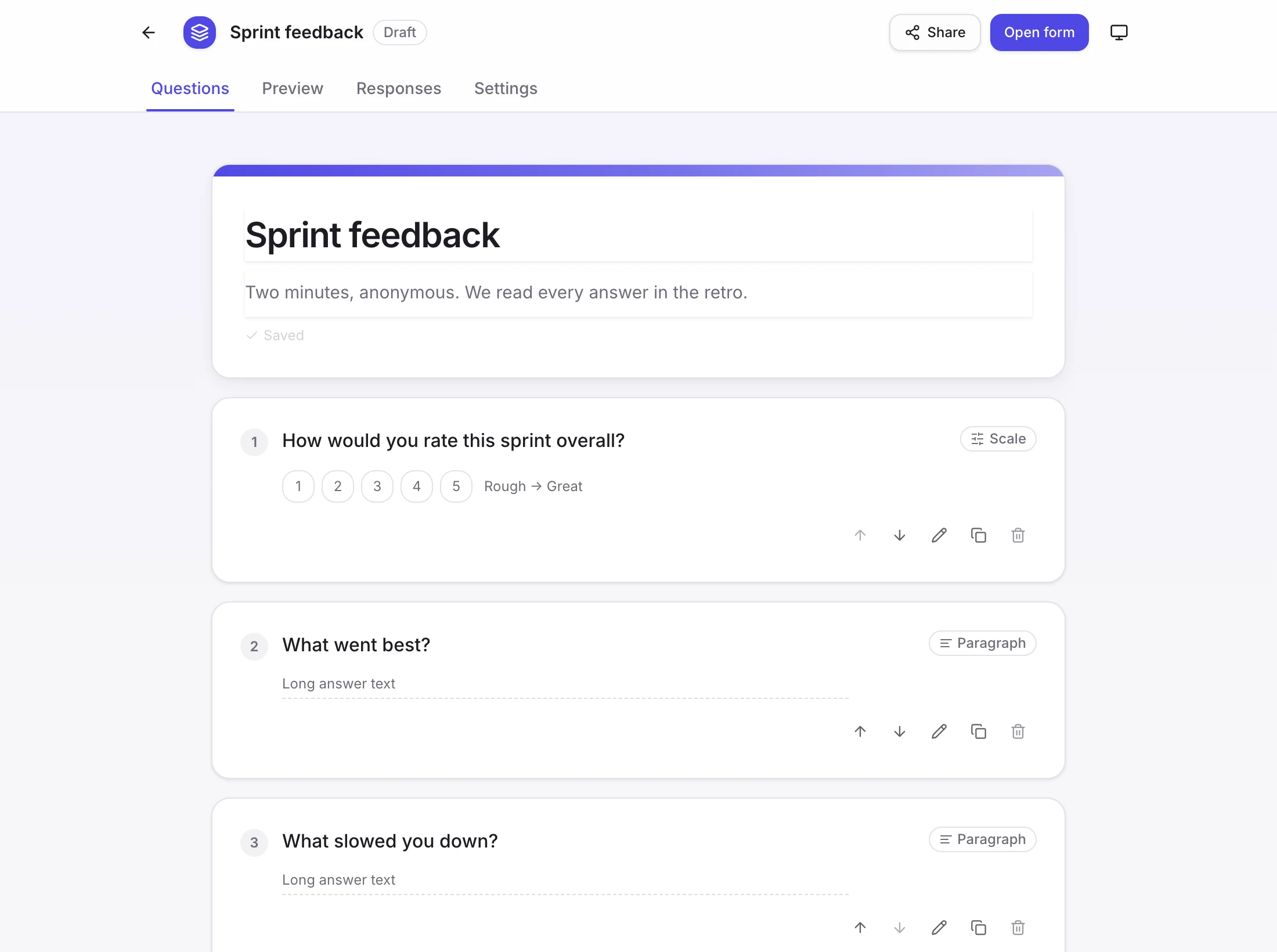
A feedback form being built, ready to share as one link.
Sprint feedback questions
How would you rate this sprint overall?
Scale, 1 to 5.
What went best?
Paragraph.
What slowed you down?
Paragraph.
How clear were the priorities?
Scale, 1 to 5.
What is one thing we should try next sprint?
Short answer.
Onboarding feedback questions
How welcome did you feel in your first two weeks?
Scale, 1 to 5.
What was the most confusing thing so far?
Paragraph.
Did you have what you needed on day one?
Single choice: yes, mostly, no.
Who helped you most?
Short answer.
What would you change about how we onboard people?
Paragraph.
Workshop feedback questions
How useful was this session for your work?
Scale, 1 to 5.
What was the most valuable part?
Short answer.
What would you cut or change?
Paragraph.
Was the pace right?
Single choice: too slow, about right, too fast.
What would you like us to cover next?
Short answer.
Writing questions people answer
- Keep it under ten questions and five minutes. Every extra question loses people.
- Mix scales, which are quick and comparable, with a few open questions where you want the reason.
- Make most questions optional, and say which are not.
- Ask for what you can act on. A question you won't use is a tax on the respondent.
- Close the loop. Tell people what you heard and what you changed, or they won't answer next time.
What a form can ask
- Short answers and paragraphs for free text.
- Single choice, multiple choice and dropdowns for fixed options.
- Scales for ratings you want to compare.
- Responses can be read one by one or as charts, and exported to CSV.
Form or poll?
A poll is one question answered live, in the meeting, with the result on the screen. A form is several questions answered in each person's own time. Use a poll to decide something now and a form to learn something over a few days.
Questions
- Do respondents need an account?
- No. A form started without an account is open to anyone with the link.
- Can I edit the form after people have started answering?
- Yes. You can keep editing after the first answers arrive.
- Can I export the results?
- Yes. Responses can be exported to CSV, or read one by one or as charts.
- Is it anonymous?
- That is a setting on the form. An anonymous form records no names. Otherwise respondents are asked for one. Choose before you share it.
Ask for feedback today
Open a form, add your questions and share the link.
Start a feedback form